
General introduction to iPaaS
HubBroker iPaaS provides a simple and flexible platform for integrating business systems, transforming documents and data, and managing communication with trading partners.
HubBroker has made pre-defined integration adaptors for various cloud-based business systems.
HubBroker iPaaS transforms and routes all types of documents and data.
Dashboard
After logging in to HubBroker, navigate to the Dashboard screen.
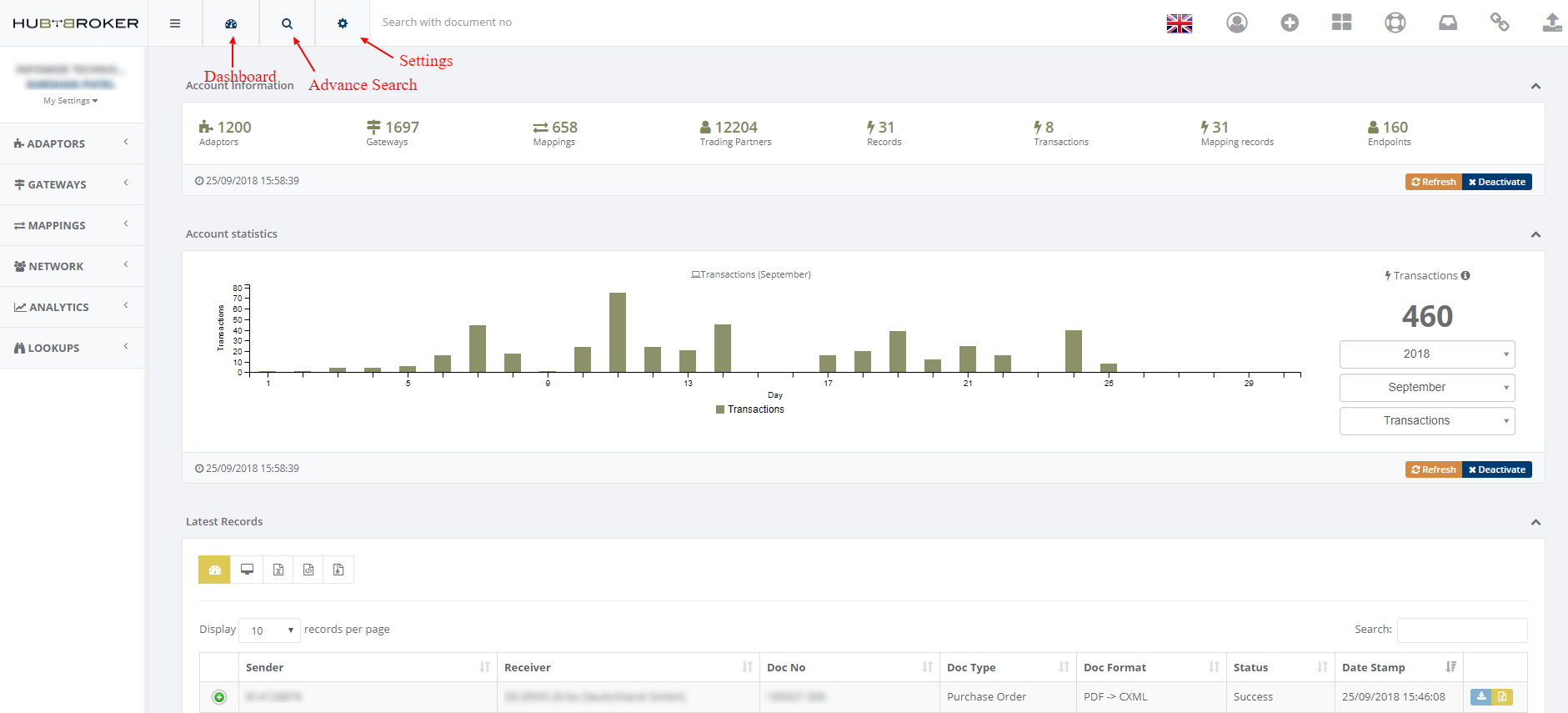
Dashboard & Advanced Search: Get a detailed overview of the dashboard and advanced search.
Settings: Manage your account details, application settings, and other configuration options.
Right-Hand Side Widgets
From the right-hand side widgets, you can find:
Support
Switch User
Change Language
Link
Support
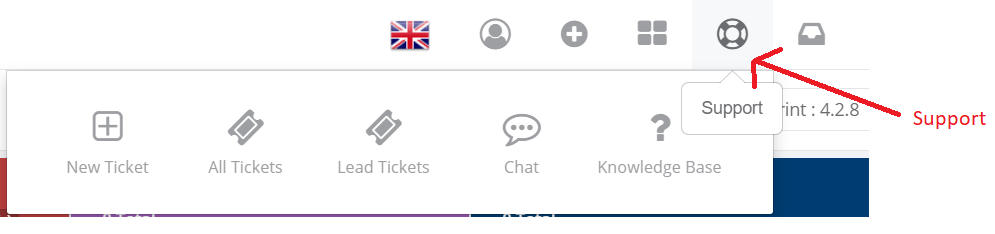
The Support section mainly covers the following modules:
Ticket Management
Manage and track support tickets through the HubBroker ticket management system.
Chat
HubBroker provides an online customer support service through chat.
Knowledge Base
The Knowledge Base provides detailed information about the HubBroker Integration Platform (iPaaS), helping users access and use iPaaS more easily.
Change Language
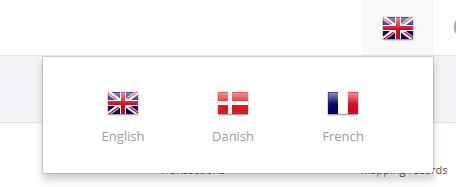
HubBroker supports:
Danish
French
English
You can change the application language according to your needs.
Switch User
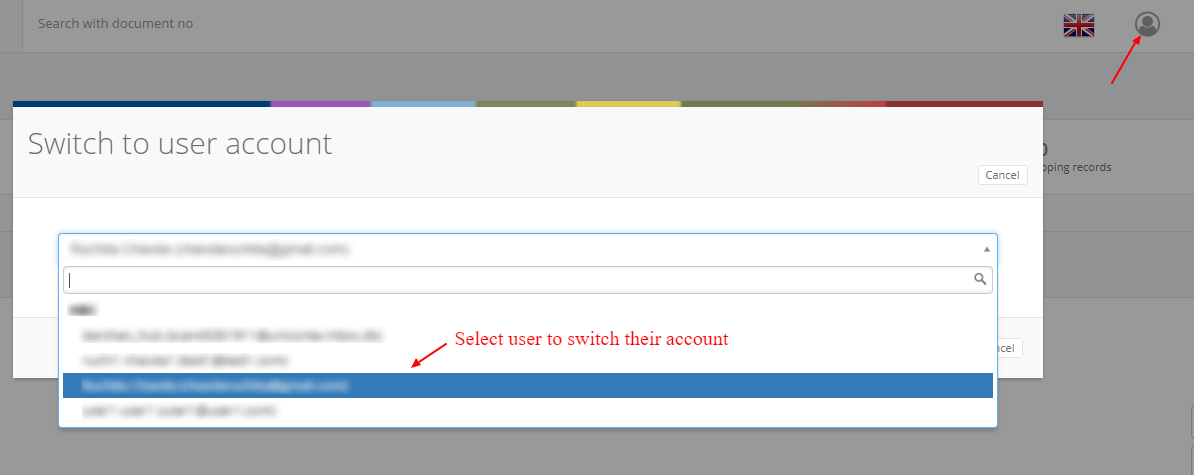
The Switch User facility is available only for Customer Admin.
Customer Admin users have the rights to switch between users' accounts and manage their accounts.
Link
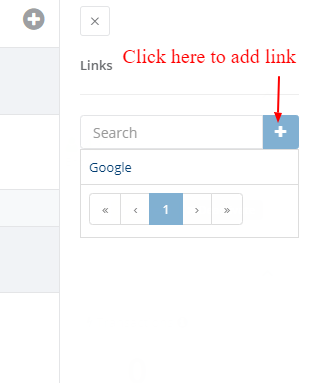
Users can store and manage their important links using the Link feature.

Main iPaaS Modules
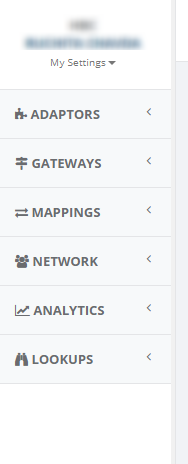
The navigation menu on the left-hand side provides access to the main iPaaS modules:
Adaptors, Gateways, Mappings, Network, Analytics, Lookup
Adaptors
An Adaptor is a service with easy setup and management of the data integration process.
You can configure your source and destination details to exchange documents with HubBroker or your trading partners.
Learn more: How to activate an adaptor from iPaaS.
Gateways
A Gateway is a communication protocol used to exchange all types of documents.
Learn more: What is a Gateway?
Mappings
Mapping is mainly used for converting files between different formats according to business requirements.
Learn more: What is Mapping and what are the different types of mappings?
Network
HubBroker provides a unique feature that allows you to expand your data and document exchange with your customers and suppliers.
You can use the Network functionality to work with your trading partners.
Learn more: How to invite a new Trading Partner.
Analytics
The Analytics section provides several reports for monitoring and analyzing your iPaaS activity.
Available Reports
Records Overview
Transactions
KPI
Records In Out Time Duration
Filtered Files Overview
Document's Lines
User Statistics
Services Overview
Mapping Overview
Lookup
Lookup is a collection of your own business data for:
Products
Delivery locations
Customer trading partners
This data is supported and used by HubBroker for integration processes.
Learn more: What is Lookup?